
User Tools
saved_drafts
This is an old revision of the document!
* Saved Drafts *
You can save a draft of a message in much the same way that you would in your favorite email program, like Gmail or Outlook.
Go to your User Control Panel and scroll down until you see Miscellaneous on the left-hand side of the page.
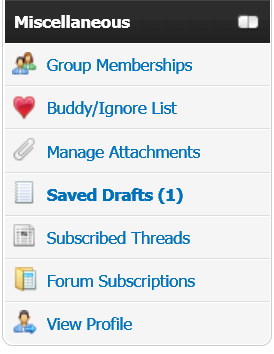
Click on “Saved Drafts”. From here you can manage all of your saved drafts.
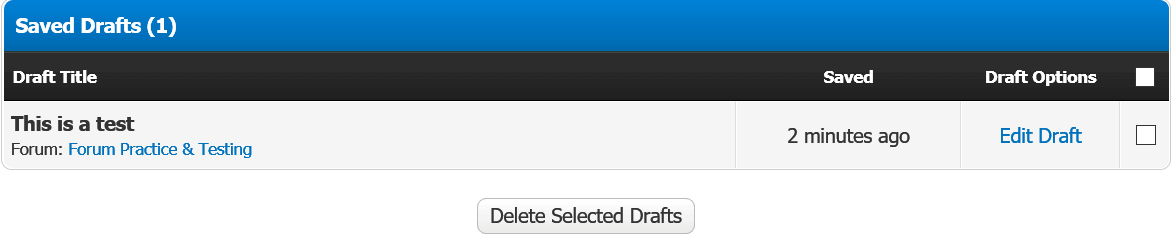
To edit a saved draft, simply select the message and click “Edit draft”. When you're ready to post it, just click “Post Thread” (for a brand new thread) or “Post Reply” (for an existing thread).
To delete a saved draft, check the box to the right and then click “Delete Selected Drafts”.
saved_drafts.1512522302.txt.gz · Last modified: 2017/12/06 01:05 by karen_henry


